Can PortalJS Cloud users access private datasets in the frontend?

Yoana Popova
Two distinct questions often arrive bundled together when organizations ask about private datasets in PortalJS Cloud:
- Can publishers preview what a dataset page will look like before making it public?
- Can authenticated end-users access private datasets in the portal frontend?
Both are valid use cases, and the answer to both is: technically possible, but neither is built in by default. Here is what each actually requires.
Use Case 1: Publisher Previewing Before Publication
The scenario is common. A data officer has uploaded a dataset and filled in the metadata, or let AI generate it, and wants to see exactly what the public dataset page will look like before flipping the visibility switch. Layout, metadata display, resource previews, how the title renders, whether the description reads correctly.
This is not a built-in feature in the current version of PortalJS Cloud. The practical workaround today is to publish the dataset with restricted visibility in the CKAN backend and review it directly while it is in that state. It is an extra step rather than a seamless preview mode.
Dataset previewing before publication is a known gap. If this is a workflow your team relies on, flagging it in GitHub Issues is the most direct way to register it against the roadmap.
Use Case 2: Authenticated End-User Access to Private Datasets
Some portals need to serve different data to different users: a public tier visible to everyone and a private tier visible only to authenticated users. Research portals sharing data with registered collaborators, government portals restricting sensitive datasets to credentialed users, or enterprise portals with role-based data access all fall into this category.
This is technically possible in PortalJS Cloud with frontend authentication. It is not a toggle in the admin panel. It requires custom implementation. The authentication layer needs to be built and integrated with your portal's frontend.
For organizations where private dataset access is a core requirement, the Enterprise plan is the right starting point. It includes bespoke development as part of the package, and this kind of access control is best scoped and implemented as part of the initial portal build rather than retrofitted later. See PortalJS Cloud pricing for plan details.
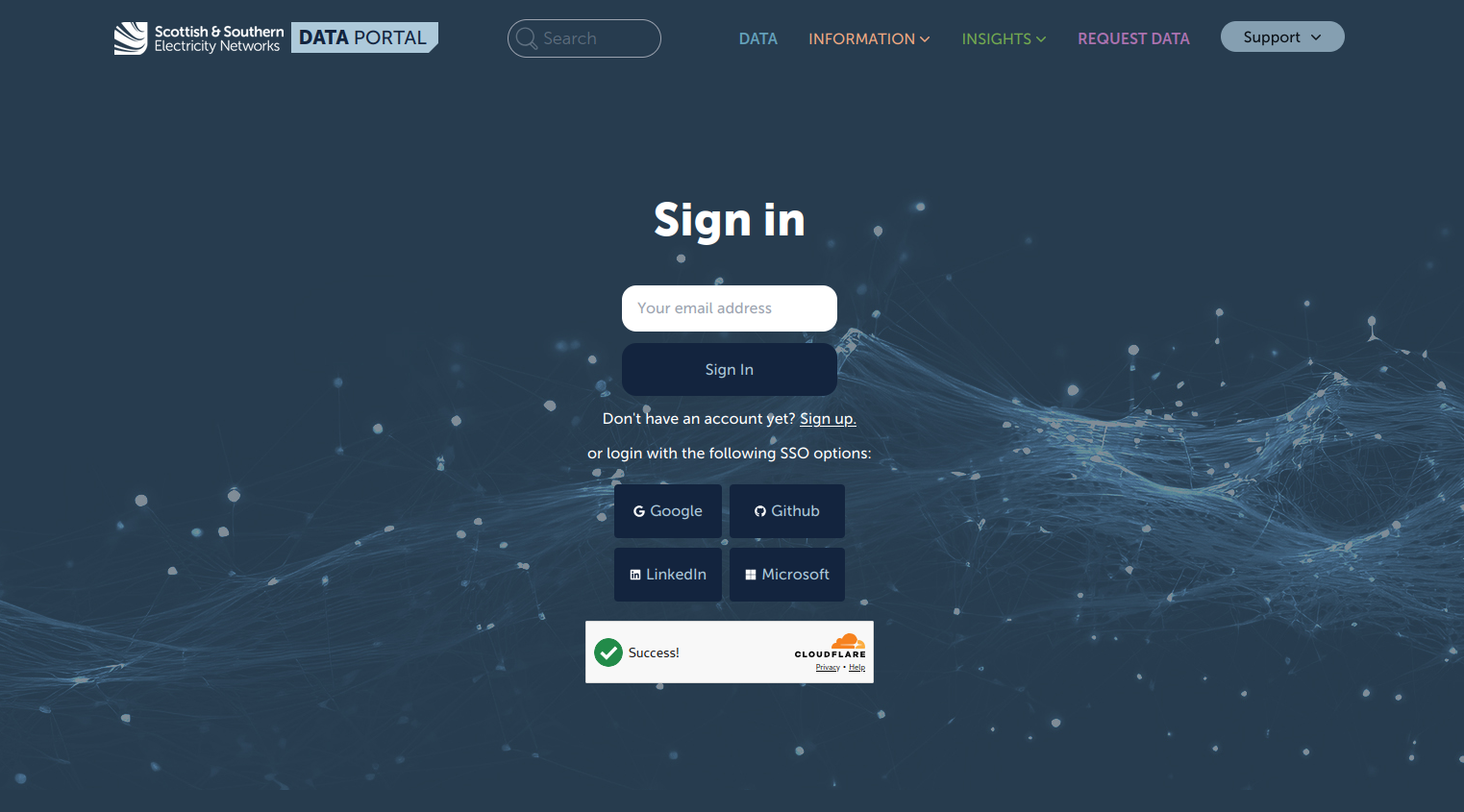
As a reference point, SSEN's open data portal built on PortalJS Cloud allows users to register an account using an email address or via SSO, including Google and GitHub, to request access to restricted datasets that are not publicly available. This is a concrete example of what the implemented version looks like in production.
What Is Built In: Role-Based Access Control for Publishers
It is worth distinguishing a related feature that is built in: the publisher dashboard supports role-based access control. Different users in your organization can have different levels of permissions to manage, publish, and edit datasets in the back office. This is separate from the public-facing frontend access question. It is about who in your team can do what in the admin interface.
If your question is about managing internal publishing permissions rather than restricting public access, role-based access control is available on all paid plans without custom development.
SAML, OAuth, and Identity Provider Integration
For organizations on the Enterprise plan, PortalJS Cloud supports SAML, OAuth, and Azure Active Directory integration. This enables single sign-on for both publisher dashboard access and, with custom frontend implementation, for end-user access to private datasets. If your organization uses an identity provider like Azure AD, Okta, or Auth0, these can be integrated as part of an Enterprise engagement.
What to Do If Private Access Is a Requirement
If frontend authentication or private dataset access is central to your portal's requirements, the most important thing is to raise it before you go live, not after. The architecture decisions that support private access are much easier to make at the start of a project than to introduce into an existing deployment.
For Enterprise plan customers, this is a conversation your account manager can help scope. For organizations evaluating feasibility before committing, contact the Datopian team to discuss what implementation would look like for your specific use case.
Have specific access control requirements for your portal? Talk to us or try PortalJS Cloud free for 14 days, no credit card required.